LuxOS vs Windows 11
Windows 11 runs almost every program and game made for PCs – but not on every PC. LuxOS is a free Linux system that runs on hardware Windows 11 refuses, without an account or a licence. Which one suits your computer depends mostly on the software you need. A fair comparison; LuxOS is young.
At a glance
| LuxOS 1.0.3 | Windows 11 | |
|---|---|---|
| Price | free | free upgrade from Windows 10 on eligible PCs; otherwise included with a new PC or bought as a licence |
| Processor | any 64-bit Intel or AMD (x86-64) | 1 GHz or faster with 2 or more cores, and it must be on Microsoft's list of supported processors |
| Memory | 4 GB | 4 GB |
| Storage | 20 GB | 64 GB |
| Firmware and TPM | UEFI or legacy BIOS; no TPM needed; works with Secure Boot on | UEFI, Secure Boot capable; TPM 2.0 required |
| Account | local account; the LuxAI account is optional | Home and Pro for personal use need internet and a Microsoft account during setup |
| Programs | Linux apps: Firefox, Chrome, LibreOffice, GIMP, Steam, VLC and thousands more; some Windows programs via Wine | practically all Windows software, including Microsoft Office desktop and Adobe Creative Cloud |
| Games | many Windows games through Steam Proton; not games with kernel-level anti-cheat | all PC games, including those with anti-cheat |
| Updates | continuous, in the background, snapshot before each update and rollback from the boot menu | monthly security updates through Windows Update, plus feature updates |
| Data sent | an anonymous weekly count (can be turned off); nothing else unless you use online services such as LuxAI | at least "required diagnostic data" ("the minimum level … needed to help keep your device reliable, secure, and operating normally"), more if you allow optional data |
| Maturity and support | young (stable since 1.0.3), one developer, community help via GitHub and e-mail | mature, supported by Microsoft and PC makers |
When Windows 11 is the better choice
- You depend on Windows-only software: Microsoft Office desktop with complex macros, Adobe Photoshop or Premiere, accounting, CAD or specialised work tools.
- You play games with kernel-level anti-cheat (for example Valorant or Fortnite).
- Your PC meets the requirements and you want support from Microsoft or the PC maker.
- The computer must just work for someone who will not ask for help – LuxOS is still young.
When LuxOS makes sense
- Your PC cannot run Windows 11 – an older processor or no TPM 2.0 – and you do not want to replace a working computer (what to do after Windows 10).
- You mostly use the web, documents, photos, music, video calls and Steam games.
- You want no account, no ads and minimal data sent, and updates that can be undone.
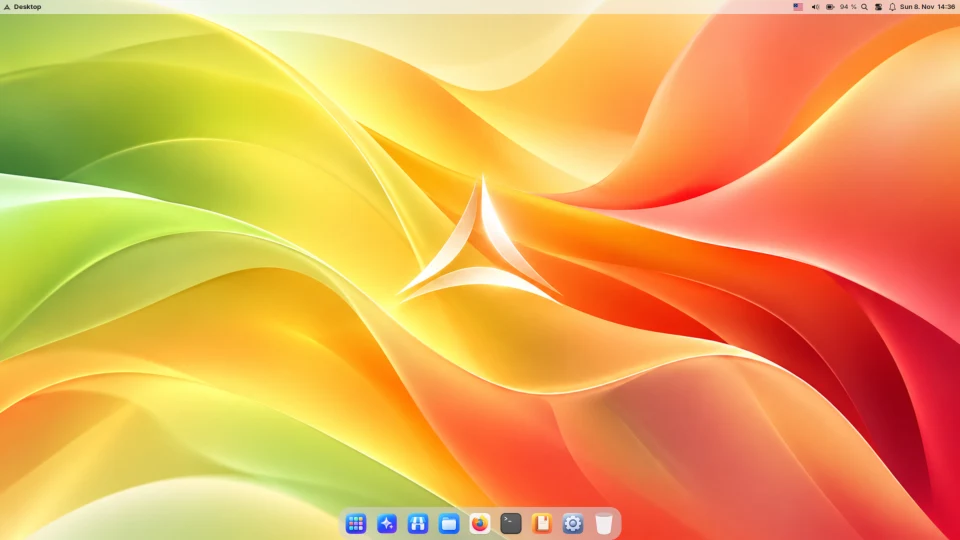
- You like the Mac's way of working: LuxOS looks and feels like macOS.
You can have both
The LuxOS installer can use free space next to Windows (dual boot): choose the system each time the computer starts. And before you install anything, LuxOS runs from a USB stick so you can check your hardware and your daily tasks.
Sources
- Microsoft: Windows 11 specifications and system requirements
- Microsoft: Windows 11 system requirements and the list of supported processors
- Microsoft: Diagnostics, feedback and privacy in Windows
- Are We Anti-Cheat Yet? – games with anti-cheat on Linux
- LuxOS: hardware support, privacy policy, FAQ
Facts about Windows 11 checked on Microsoft's websites on 18 November 2026.