A Linux that looks and feels like macOS
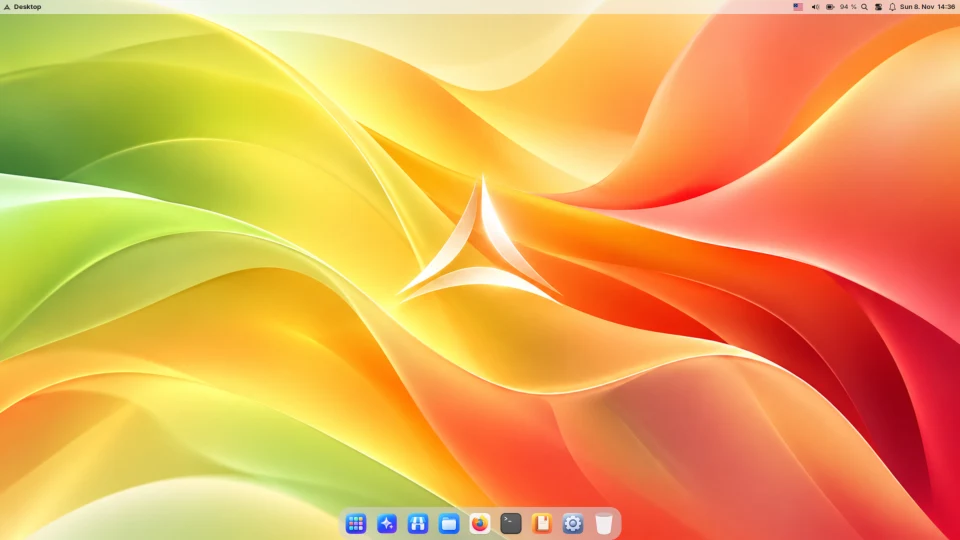
LuxOS is a free Linux system whose desktop works the way Mac users expect – top bar, Dock, Launchpad, quick search and Control Center – ready right after installation, on an ordinary 64-bit PC.
What will feel familiar
- Top bar with the name of the active app, status icons, the clock in the middle that opens a calendar, and notifications.
- Dock at the bottom with magnification, a dot under running apps and auto-hide when a window covers it. Drag apps in and out.
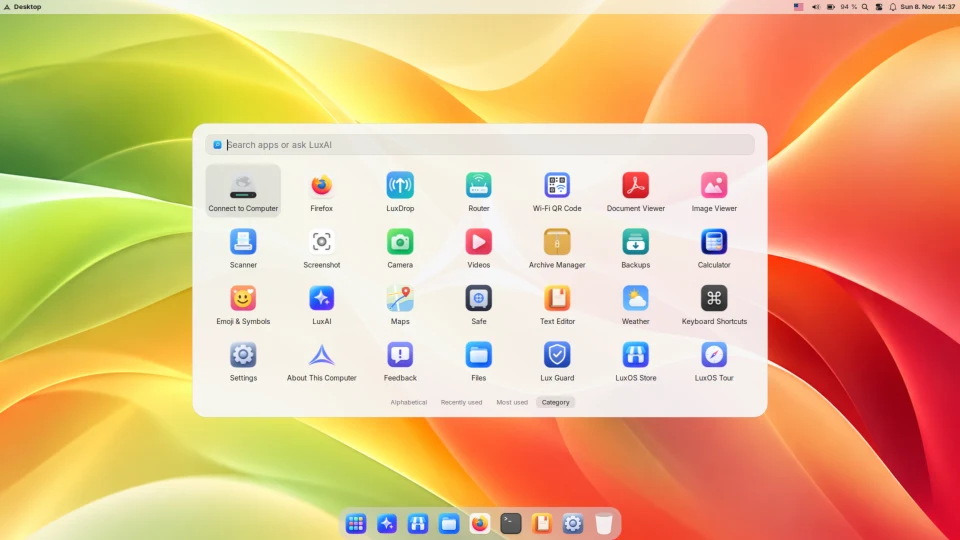
- Launchpad: tap Super (the key with the Windows logo) for a grid of all apps, sorted by use, name or category.
- Search on Super+Space finds apps, windows and files; a question that matches nothing goes to the LuxAI assistant.
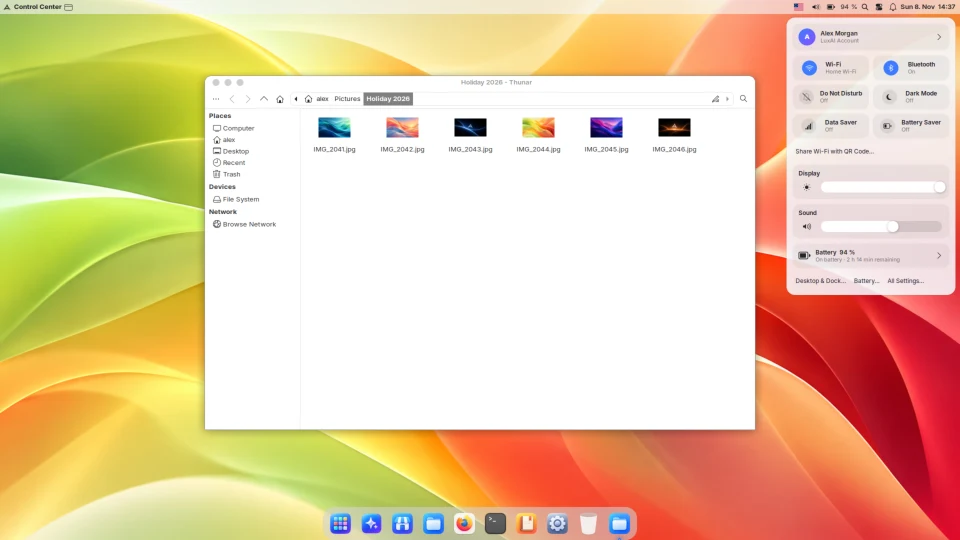
- Control Center with Wi-Fi, Bluetooth, Do Not Disturb, Dark Mode, brightness, volume and what is playing.
- Window buttons on the left – red, yellow and green, in Firefox too – and new windows open where macOS would put them.
- Shortcuts with Super in the role of Cmd: Super+Q closes an app, Super+Shift+4 takes a screenshot of an area, Ctrl+Super+Space opens emoji.
- Smooth scrolling with inertia on the touchpad, light and dark mode that can switch automatically, desktop widgets.
What LuxOS is not
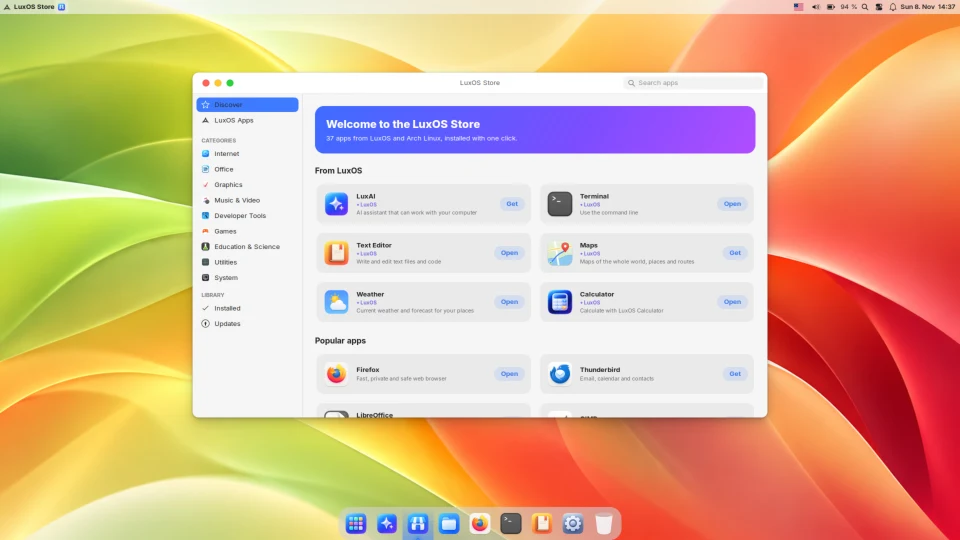
To be clear: LuxOS is Linux, not macOS. It does not run Mac apps, it does not use any Apple software or artwork, and it is not a "Hackintosh". It borrows the way of working – the layout and the habits – and builds it from fast, lightweight Xfce components plus its own LuxOS apps. Your apps come from Linux: Firefox, LibreOffice, GIMP, Steam, VLC and thousands more in the LuxOS Store.
Why people pick it
| LuxOS | |
|---|---|
| Price | free, no paid edition – the macOS-like layout is the default, not an extra |
| Hardware | almost any 64-bit PC or laptop from the last 10–15 years, with Intel, AMD or NVIDIA graphics; 4 GB RAM is enough |
| Setup | no themes and extensions to hunt for – the desktop is finished after installation |
| Updates | automatic in the background, with a snapshot before each one that you can go back to |
| Apps | LuxOS Store with Arch Linux packages and Flathub; checked community packages run in a sandbox |
| Status | stable since 1.0.3: young project, one developer – expect rough edges |
Other Mac-like Linux options
elementary OS has its own calm, Mac-inspired Pantheon desktop on an Ubuntu base. Zorin OS offers a macOS-like layout too, but only in its paid Pro edition. Both are more mature than LuxOS. We compare them fairly: LuxOS vs elementary OS and LuxOS vs Zorin OS.
Common questions
Can LuxOS run macOS apps?
No. LuxOS is Linux. It runs Linux apps (and some Windows apps through Wine), not apps made for macOS. Many popular apps such as Firefox, Chrome, Spotify, VS Code-compatible editors, Zoom and Steam have Linux versions.
Do I need a Mac to install LuxOS?
No. LuxOS is made for ordinary 64-bit PCs and laptops (x86_64) with UEFI or BIOS. Apple Silicon Macs (M1 and newer) are not supported.
Can I change the layout, for example move the Dock?
Yes. In Desktop & Dock you can move the Dock to the left or right, change its size, magnification and auto-hide, switch between light, dark and automatic appearance and pick a wallpaper.